Product Background Remover
Explore a separate background-removal workflow when your task is to remove a backdrop rather than relight a shared portrait.


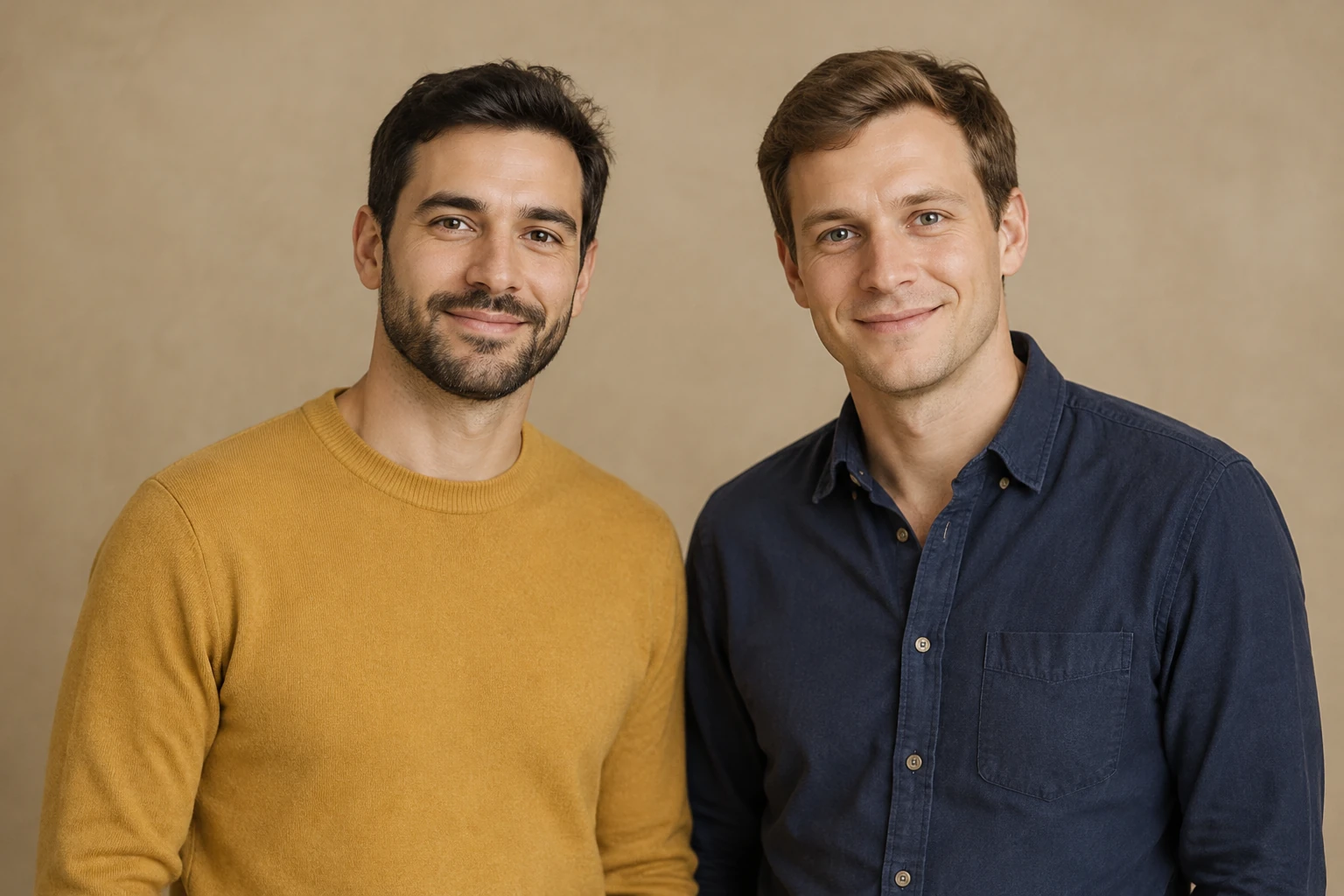
Use Romantic Couple Spotlight to shape a clean studio-style portrait from one photo of both adults. The mustard-and-navy example focuses on warm shared light and readable hair and shoulder edges. Keep your actual pair and pose as the starting point, adjust the prefilled prompt, and inspect the background boundary after editing.
Open the image-editing form and provide one source photo that already contains both adults. Choose a consenting shared portrait with both people visible, their heads and shoulders in frame, and enough detail to assess their hair and clothing edges. Do not prepare separate portraits: this workflow edits the shared image rather than combining two individual photos.
The complete studio-lighting direction appears in an editable prompt. It asks the edit to keep the actual pair and shape warm, balanced light across both faces against a subdued stone-colored backdrop. Use it as written or adjust it for the source—for example, to favor a calmer backdrop or softer fill. The example description guides the look; it does not replace the people in your photo.
Seedream 5.5 is enabled in this edit-only form. Choose an available aspect ratio and one of the actual 1K or 2K resolution options. This model is paid-eligible here, so review the live Required Credits for your selected settings before selecting Generate. Credits can vary with the choices shown in the form; check the displayed requirement rather than assuming a fixed amount.
When an image is ready, open it from History and compare it with the source. Check both faces, expressions, hairstyles, clothing, pose, and interaction, then inspect the hairline and full shoulder contours for halos, missing edges, or unwanted changes. If the lighting favors one person or the backdrop distracts, revise the prompt and review the available settings and Required Credits again before another generation.
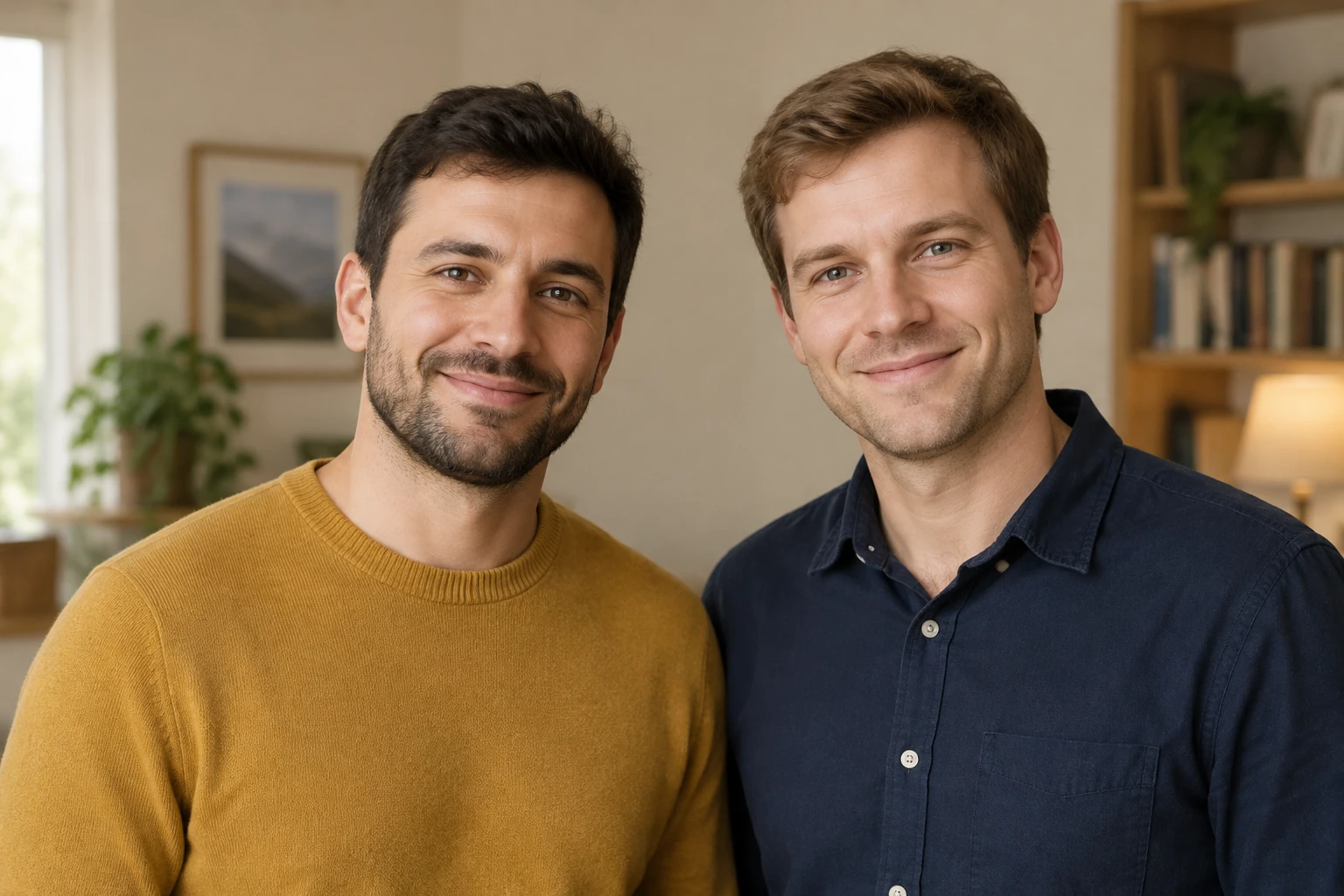
A shared portrait should read as one scene, not as two faces lit in unrelated ways. Ask for a warm key light that reaches both faces and gentle fill that retains detail in softer areas. Keep the backdrop restrained so it supports the pair rather than competing with their expressions. A warm stone studio direction suits a standing waist-up portrait; for a distinct alternative, use the seated direction with a muted sage backdrop and gentle warm, window-like studio light.

Be specific about what should remain: the two actual people, their apparent age, expressions, hairstyles, clothes, pose, interaction, and proportions. The prompt can guide the edit, but it cannot guarantee identical identity or exact preservation. Inspect the result closely, especially where hair meets the backdrop and where shoulders meet clothing or background. If either person changes noticeably, or an edge looks cut out, adjust the instruction and assess the next result rather than treating the first image as a faithful match.
This guide concerns an edit to a supplied still image. Background removal and transparency are different workflows; a subdued studio backdrop is not a transparent cutout. Use the relevant tool for the task you need, and keep the shared-photo edit focused on lighting, backdrop, and careful review of both adults.

For the clearest review, begin with a consenting photo in which both adults are visible and their faces, hair, shoulders, and clothing are distinguishable. A relaxed, friendly portrait gives the lighting direction room to work without changing the interaction. Keep the prompt grounded in the actual image: the fictional mustard-sweater and navy-shirt pair illustrates one portrait direction, not a replacement for the people in another supplied photo.
It uses the existing edit-only still-image form with Seedream 5.5 enabled. Provide one shared photo containing both adults; the workflow does not use two separate portraits.
Yes. The full studio-lighting direction is prefilled and editable. Use it directly or revise the wording to fit the actual photo while keeping the requested light and backdrop clear.
This guide uses Seedream 5.5, which requires paid access here. Check your account eligibility and the live Required Credits for the selected aspect ratio and resolution before Generate. The quote can change with settings; this guide does not assign a fixed price or free allowance.
Processing time can vary, so check the status shown in the form rather than relying on a fixed wait. Ready images and their status are available in History.
Choose a consenting shared photo with both adults visible, clear enough to assess their faces, hair, clothing, pose, and shoulder edges. A photo with both heads and complete shoulders in frame makes the requested review more practical.
Compare each person with the source: check expressions, hairstyle, clothing, proportions, and the shared pose, then inspect both hairlines and shoulder contours for halos, gaps, or unwanted changes. Lighting may affect the two faces differently, so assess them separately as well as together.
Explore a separate background-removal workflow when your task is to remove a backdrop rather than relight a shared portrait.
Resize images in a separate workflow when you need to adjust image dimensions.
Review the pricing information available for the service.
bulkbgremover.com · Updated