

GPT-6.1 Terra vs Sol: A Catalog Photo Cleanup Brief for Small Shops
Use GPT-6.1 Terra vs Sol to plan a fair catalog-photo cleanup evaluation: score edge quality, honest color, background, and consistent framing with a reusable pass/fail brief.
GPT-6.1 Terra vs Sol is a choice between two external planning assistants, not two product-photo editors: both accept images and return text, and neither is a native image-generation endpoint. For a small shop preparing catalog photos, use one to organize a cleanup brief, then judge the actual edited images against explicit checks for edges, color, background, and framing. The scorecard below is a proposed evaluation—not a report of model tests. (Terra model page; Sol model page)
What's new on this page
- 2026-11-13 — Page published. Added a reusable catalog-photo brief and pass/fail scorecard for evaluating edge quality, honest color, background consistency, and product framing.
Decide what you are evaluating
A language model can help turn your requirements into a checklist or organize observations you provide. The photo cleanup itself is a separate task: evaluate the resulting images, not the fluency of the assistant’s explanation. Access to a model through an API also does not mean that model is available inside the site or tool you plan to use.
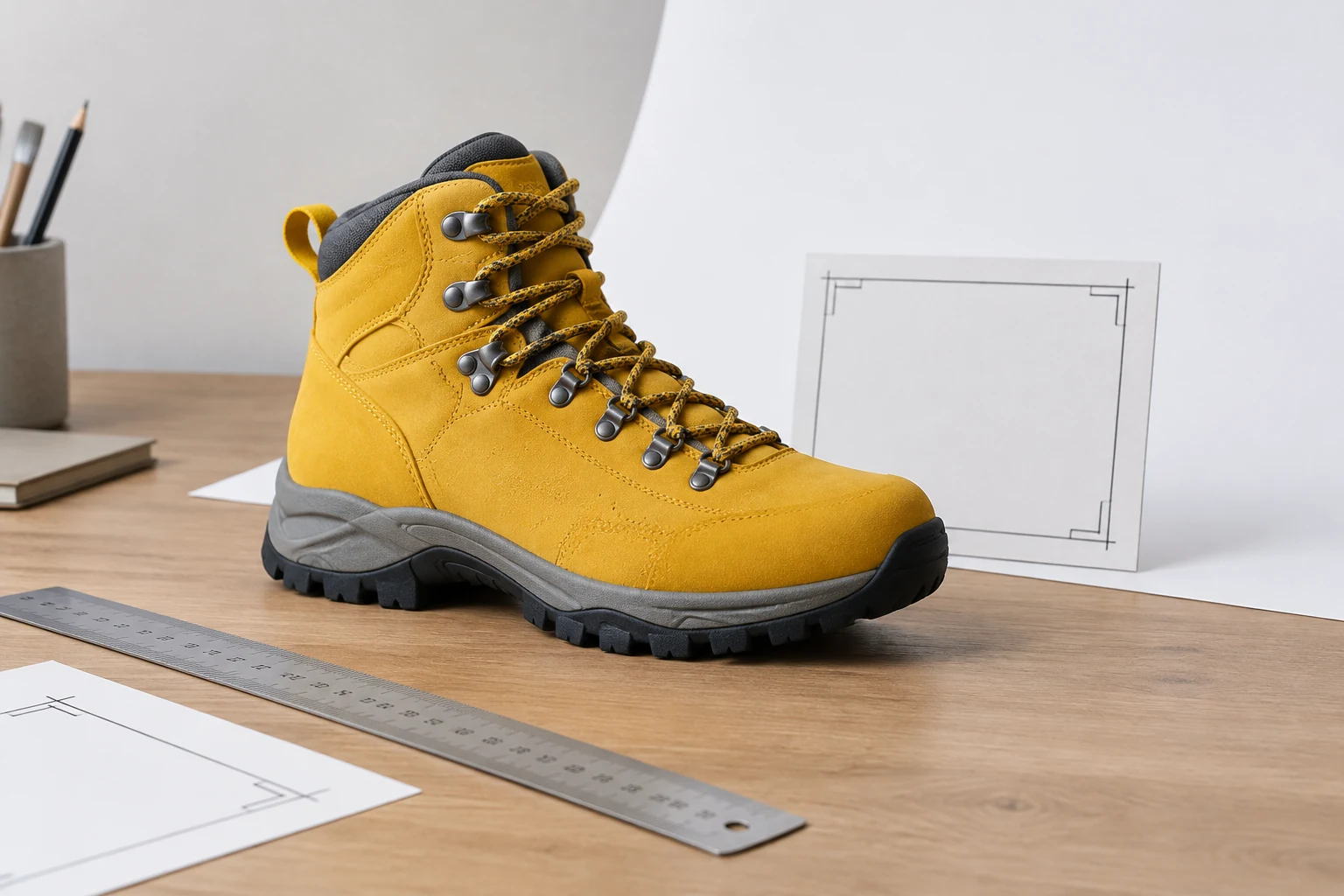
For this scenario, imagine a small outdoor shop preparing a set of yellow hiking boots for a product catalog. The goal is a clean, consistent white-background set that still shows the real boot accurately. Do not let “clean” become permission to recolor the leather, erase small product details, or crop away useful parts of the item.
The proposed process is deliberately simple: select representative source photos, write one shared brief, edit the set with the workflow you intend to use, then score the exported images. If you use an external assistant, give it the same requirements and examples you will use for the work. OpenAI’s model-selection guidance recommends comparing representative work on the same inputs and settings; this rubric adapts that principle to a catalog cleanup decision. (Model-selection guidance)
Reusable catalog cleanup brief
Copy and adapt this before requesting edits or comparing workflows:
Product and purpose: Yellow hiking boot photographed for an ecommerce catalog.
Keep true: Preserve the boot’s actual yellow color, shape, texture, stitching, sole, laces, and other visible product details. Do not add, remove, or redesign product features.
Edge requirement: Keep the full product outline clean and continuous. Do not cut into the boot, leave a visible fringe, or include unwanted pieces of the original scene.
Background requirement: Use the same clean white background treatment across the set. Keep it visually even and free of obvious remnants from the original background.
Framing requirement: Keep the whole boot visible, with similar scale, orientation, and breathing room in every image. Use the same crop and placement rules for the set.
Review instruction: Flag any requirement that cannot be met from the source image. Do not conceal uncertainty by inventing detail or changing the product.
For the representative sample, choose more than one kind of source: a straightforward outline, a view with laces or other fine details, and a view where the boot’s edge contrasts less clearly with the original background. These are sample-selection suggestions, not a claim that any model performs better on them. Keep the same source images and brief when comparing options.
Four checks: pass or fail
Score each output on each check. A pass means the requirement is visibly met; a fail means it is not. Record a short reason next to every fail so you can distinguish a repeatable workflow problem from a source-photo limitation.
| Area | Pass when… | Fail when… |
|---|---|---|
| Edge quality | The complete boot outline is retained; laces and other visible details remain legible; no obvious fringe or leftover background is visible. | Part of the boot is clipped, a fine feature disappears, or a halo or unwanted fragment is apparent. |
| Honest color | The yellow boot still looks consistent with the source photo; visible materials and details have not been needlessly altered. | The boot appears noticeably recolored, or a product detail has been removed, added, or changed. |
| Background | The background reads as the same clean white treatment across the selected images, without obvious source-scene remnants. | A visible patch, stray object, inconsistent background treatment, or distracting remnant remains. |
| Consistent framing | The full boot is visible and follows the set’s agreed scale, orientation, and margin rules. | The boot is cropped, unexpectedly rotated, or placed at a noticeably different scale or margin from the rest of the set. |
Use the same pass/fail definitions on every image. If two reviewers disagree, revisit the wording or choose a clearer reference before drawing a conclusion. A useful evaluation record is simply the image name, four results, and a note for each failure. Do not combine everything into a single vague “quality” impression: an attractive background does not compensate for a changed product color.
GPT-6.1 Terra vs Sol: what the choice can tell you
The official descriptions position Terra for visual reasoning, clear writing, and bounded computer-use tasks. Sol is positioned for complex coding, computer use, and professional workflows. Those descriptions can help you decide which assistant to try for planning, but they do not establish which will produce better catalog photos. Both models accept text and images and produce text; they are not native image or video generation endpoints. (Terra model page; Sol model page)
A practical trial is to give each the same brief and representative source images, then compare whether its written checklist is specific, consistent, and useful to the person doing the cleanup. Separately score the actual edited images with the table above. No benchmark or latency results were independently measured for this article, so it would be misleading to declare a winner.
Official text-token rates and one cost example
The published standard text rates are per million tokens in USD. These are model API rates, not credits or prices for tools on this site. (Terra model page; Sol model page)
| Model | Input / million tokens | Cached input / million tokens | Output / million tokens |
|---|---|---|---|
| GPT-6.1 Terra | $1 | $0.05 | $5 |
| GPT-6.1 Sol | $2 | $0.10 | $10 |
For one illustrative equal-token comparison, suppose a text-only planning request uses 10,000 uncached input tokens and produces 2,000 output tokens. At the listed standard rates, Terra’s token charge would be $0.01 for input plus $0.01 for output, or $0.02 total. Sol would be $0.02 for input plus $0.02 for output, or $0.04 total. This is arithmetic from the published rates, not a quote for your request: cache writes, tools, modes, and long prompts can change bills, and equal token counts do not imply equal task cost.
Make the next decision with evidence
Choose a planning assistant only if it helps your team produce a usable brief; choose the photo workflow by inspecting its outputs against the same four checks. If one option repeatedly fails a requirement that matters to your catalog, revise the source-photo process or try another workflow before editing the whole set.
A useful next step is to apply the scorecard to a small representative batch, save the failures, and tighten the brief before scaling up. For related workflows, explore AI background removal, batch white-background cleanup, site pricing, or more image-editing guidance.