

Genie 4 vs AI Video Generators: A Product-Asset Handoff Checklist
Genie 4 vs AI Video Generators: decide whether your yellow hiking boot needs an explorable showroom concept or approved stills and a short clip, then use a practical review checklist for the handoff.
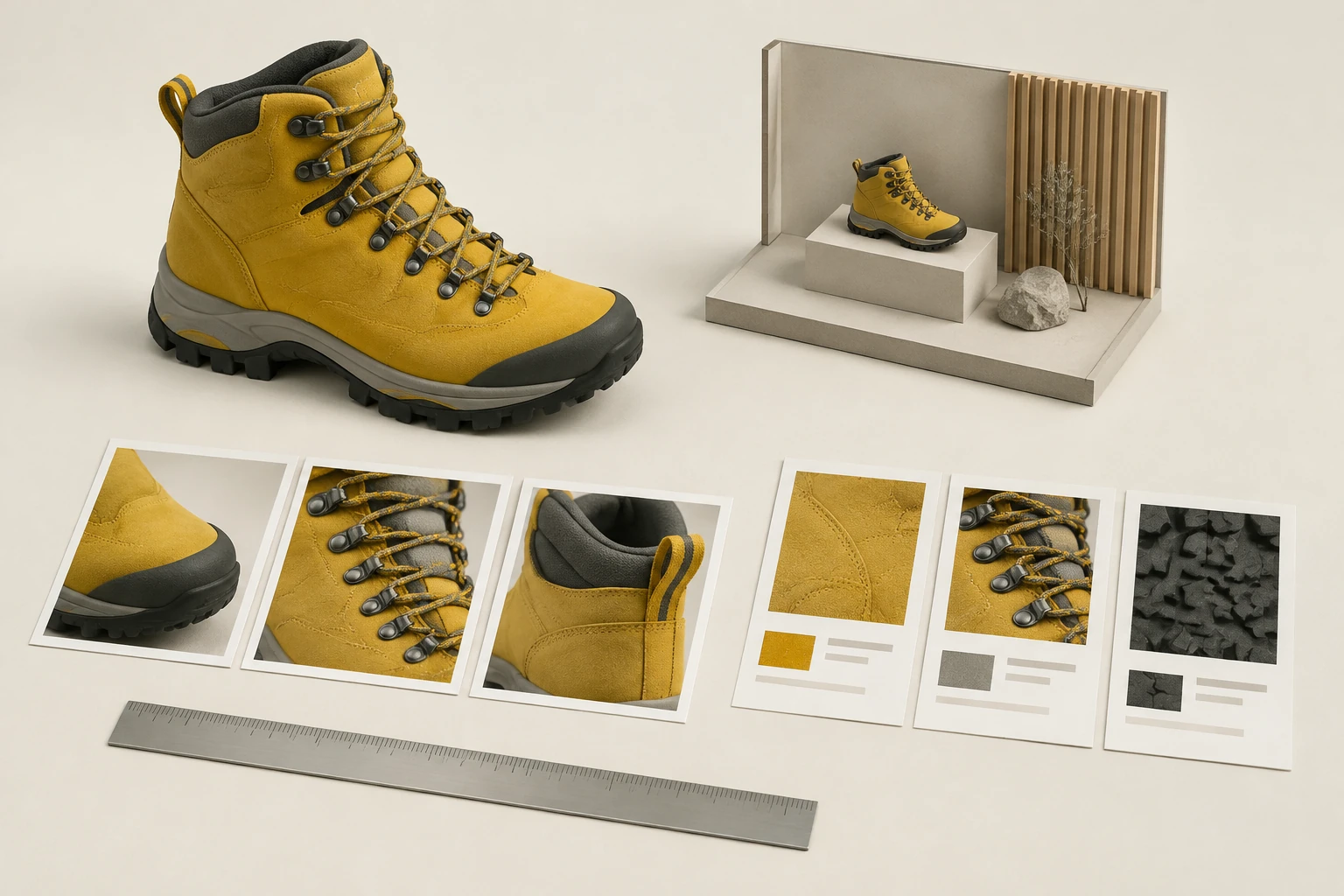
Genie 4 vs AI Video Generators comes down to the job you need done: explore a possible showroom as a research concept, or deliver product assets customers can trust. For a small ecommerce team, keep those handoffs separate. Use an explorable environment to discuss atmosphere and presentation—not as proof of the boot’s real shape or color—and prepare approved stills and clips for product communication.
What's new on this page
- 2026-11-13 — Page published. Added a product-asset handoff worksheet separating showroom exploration from delivery-ready stills and clips.
The short answer: two handoffs, two standards
Imagine the team is preparing a listing for a fictional yellow hiking boot. A concept team wants to consider the boot in a misty alpine showroom. The ecommerce team needs a clear hero image, a detail image, and perhaps a short turn-and-reveal clip.
Those are different jobs. A showroom concept is for exploring an environment and discussing a direction. Its scenery, lighting, and presentation are proposed, not an authoritative record of the item. Delivery assets should instead be reviewed against the approved product reference: the boot’s shape, visible color, and details must not be altered or obscured in ways that mislead shoppers.
Genie 4 is the name to know for the first kind of conversation, not a substitute product-photo handoff. Google DeepMind announced it on October 27, 2026, as an interactive world-model research preview for trusted testers; wider availability is described as forthcoming. The official materials describe real-time scene steering with native audio, while noting limits in continuity and audio. Our team has not run Genie 4 and makes no independent performance, price, country-availability, or latency claims. (Google DeepMind model page; announcement)
This site does not provide Genie 4 access. Its available image and video workflows are not the same as a user-steered environment: a video workflow creates a clip, rather than handing over an interactive world. Check the live model options, credits, and History before planning any work around the site’s tools; do not assume a particular output format or availability without checking.
The yellow-boot handoff worksheet
Keep the brief short enough that a small team can actually use it. Copy this manifest into your production notes and fill in the reference-image or approval details before work begins.
| Asset | Purpose | Brief | Approval reference |
|---|---|---|---|
| Hero still | Listing lead image | One yellow hiking boot, full product visible, on a clean, restrained background. Keep the boot prominent; avoid props that compete with it. | Approved product photos or other approved source material; record the selected reference. |
| Detail still | Show construction | A closer view of one chosen feature, such as the laces, stitching, sole, or material texture. Name the feature in the brief so the crop has a clear purpose. | The same boot and approved source material; confirm the feature is genuinely visible there. |
| Proposed short turn/reveal clip | Show the boot from more than one view | Request a concise presentation that turns or reveals the boot while keeping its shape and yellow color consistent. Treat this as a proposal until reviewed against product references. | Approved stills or product references, plus a reviewer’s approval before customer-facing use. |
A clip brief is not a promise that every available tool will create a particular turn, duration, resolution, or audio treatment. Review current model options and available controls first. If the tool cannot maintain a trustworthy product view, omit the clip or present it only as a clearly labeled concept rather than passing it off as an accurate product depiction.
Five checks before anyone approves an asset
Score each item Pass, Revise, or Not applicable. Add a note for every revision; “looks good” is not a useful handoff record.
- Shape: Does the boot match the approved reference in silhouette and construction? Check the toe, shaft, sole, laces, and any visible panels. Reject a version that invents, removes, or distorts a product feature.
- Visible color: Does the yellow read consistently with the reference? Ask whether the lighting or surrounding scene changes the apparent color enough to mislead. A scenic concept may explore lighting, but that exploration does not establish the boot’s true color.
- Edge integrity: Are the boot’s boundaries clean and complete? Look at laces, eyelets, the sole, and narrow gaps for clipped details, stray remnants, or blending into the background.
- Crop: Is the whole boot shown where the brief requires it? In detail imagery, is the named feature actually in frame? Check that a crop does not remove a relevant part or imply a view the asset does not provide.
- Claims: Does the image or clip suggest a feature, material, use, or view that the reference does not support? Remove unsupported visual implications, not just unsupported words. A proposed world or showroom is a setting idea—not evidence about the real product.
For a clip, apply the same checks across the sequence, not just to one attractive frame. If shape, color, or detail shifts during the turn, the clip is not ready for an authoritative product handoff. Send it back for review or keep it in the concept folder.
Decide: research or production?
Research when the question is about a possible environment: Would a mountain-lodge setting fit the campaign? What mood should a showroom convey? Which backdrop should the team explore? Label the work as a concept and keep it separate from approved product assets. Do not use an imagined environment to settle questions about the boot’s actual dimensions, materials, color, or construction.
Production delivery when the asset will represent the boot to shoppers. Use approved product references, complete the five checks, and have the appropriate reviewer sign off. If a required detail cannot be verified, do not present it as fact. Choose a simpler still or hold the asset until the team can approve it.
The practical rule is simple: explore the room, verify the boot. Concept environments can help a team discuss an idea; only reviewed assets should speak for the product.
Prepare the stills for handoff
Once a still has passed review, make it usable across the listing and other planned placements. Remove product-photo backgrounds when the next task is separating an approved boot image from its existing backdrop. For batches that need a consistent white presentation, use bulk white-background processing. If approved images need different placement sizes, use the bulk image resizer to prepare resized still assets.
These steps help prepare clean, consistent stills; they do not create an interactive showroom or validate a product claim. Keep the approved source and the reviewed deliverables together in the handoff so the next person can see what was used and what passed review.